Showing posts with label super star schedules. Show all posts

Tuesday, April 30, 2024

Super Star Schedules: Schedules for Classroom Staff

Daily schedules in the world of a special education classroom can be especially challenging because there are many moving parts! There are often multiple grade levels of students, different related service times, and multiple classroom staff members. Having a consistent schedule that is clearly communicated with staff and students is an essential foundational component of a well-run classroom!  

Today's Super Star Schedules post will use examples from around our region to illustrate the different stages of developing a schedule for classroom staff and clearly communicating so that everyone can implement the routine with consistency.


Step 1: Overview Schedule
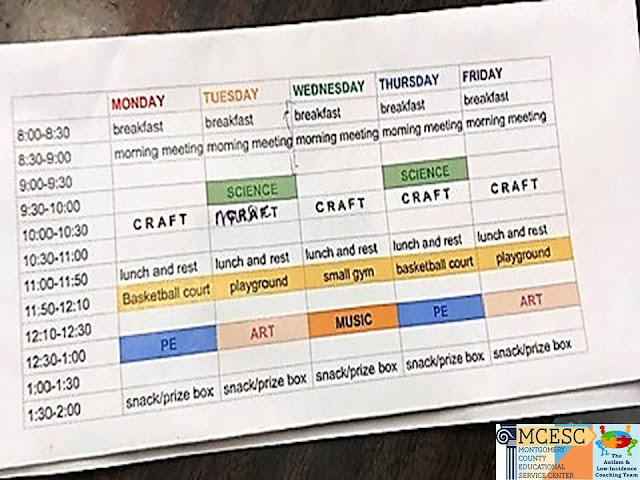
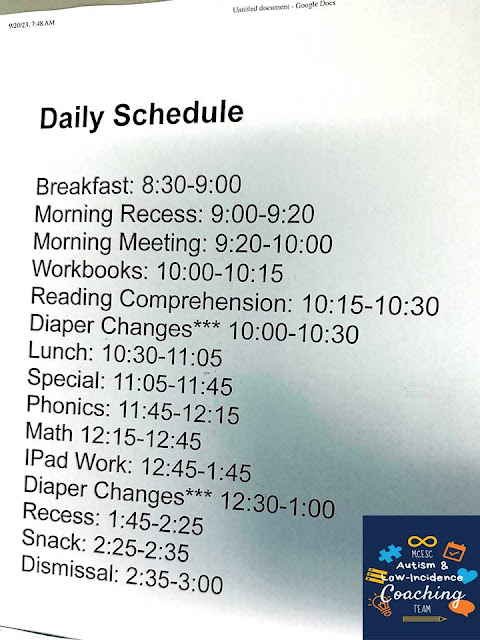
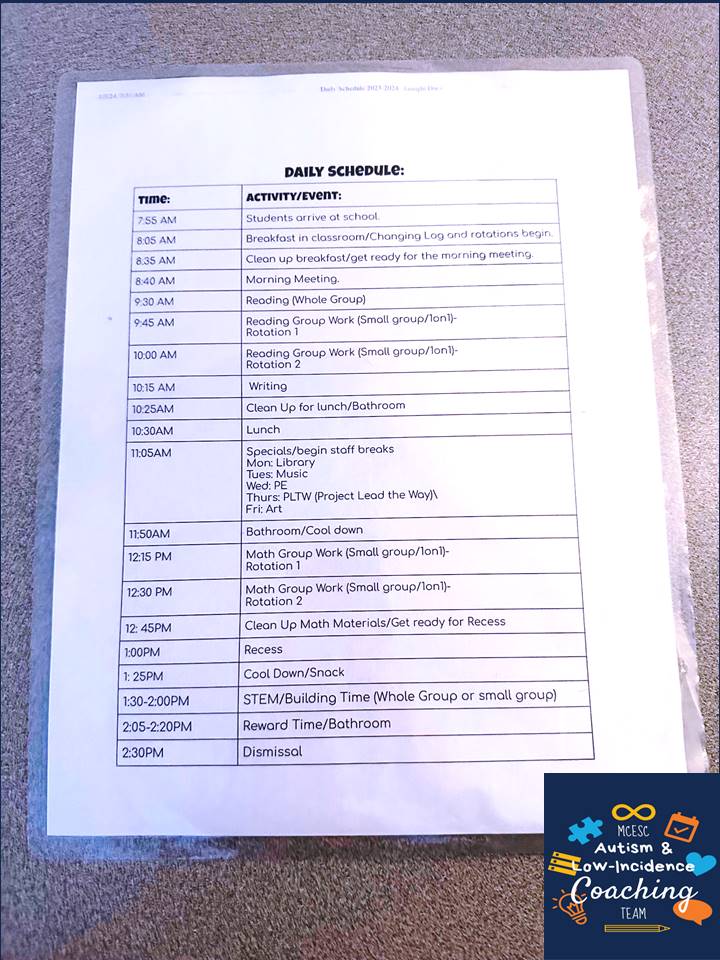
The first step is to create a general outline of your schedule which outlines daily activities and at which times they occur. 
Taylor Anglin
Louise Troy Elementary, Dayton

Lia Andrix
Learning Center- West, MCESC

Courtney Pearce
Trotwood ELC, Trotwood

Phil Beresic
Ruskin Elementary, Dayton

Nicole Bellard
Fairview Elementary, Dayton

Granville Bastin
Twin Valley South, Preble County ESC


For older grades, this is often pre-determined through the school building's block schedule. 
Hayward Middle School, Springfield

Fairborn High School, Fairborn

Michelle Hiegel
Miami East Junior High, Miami East


Step 2: Detailed Schedule
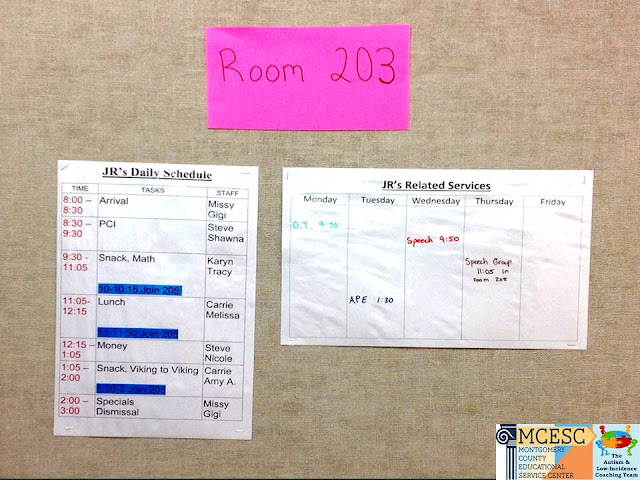
The next step is to detail who is covering what during each time period and activity. For staff schedules, this often includes which student(s) they are working with. This is an important step because it ensures that staff know exactly who to be working with at a given time so that you can be sure all students have coverage at all times. 

Abbie Opdycke
Kenwood Elementary, Springfield

Christine Scarborough
Tecumseh Elementary, Xenia


Steve Mahle
Miamisburg Middle School, Miamisburg


Color-coding can make it easier visually for staff to follow the schedule.
Mandy Schetter
Northmoor Elementary, Northmont

Anjie Rose
Schnell Elementary, West Carrollton

Chris Stanley & Nick Moore
Kleptz ELC, Northmont

Heidi Grumpp
Miami County CLC


Many teams also incorporate this detail into their daily Google Slide Schedules to communicate to staff and students who will be together during centers time. 
Jodi Schweikardt 
Kiser Elementary, Dayton

Tava Reese
West Carrollton ECC, West Carrollton

Mandi Haynes
Perrin Woods Elementary, Springfield


Step 3: Lesson Plans and Materials
The final step with schedule creation is using the detailed schedule to provide most explicit direction through a lesson plan which may detail specific activities that will be done during that given time. 
Amy Beanblossom
Arcanum-Butler Elementary, Arcanum

Heather Clark
Saville Elementary, Mad River

Polly Amspaugh
Roosevelt Elementary, Dayton

Brittany Wendling
Valley Elementary, Beavercreek

Jenna Fitch
Demmitt Elementary, Vandalia


Many teams organize staff materials to align with the provided lesson plans in a predictable way so that everything needed is easily accessible to limit down time and waiting for students who need immediate engagement. 
Amy Beanblossom
Arcanum-Butler Elementary, Arcanum

Taylor Ruef
Stevenson Elementary, Mad River

Jackie Vollmer
Driscoll Elementary, Centerville


Step 4: Staff Communication Corner
A "bonus" step that makes the schedule process even easier is creating a staff communication corner where extra schedules can be posted and schedule concerns can be communicated on a whiteboard or parking lot. This simple step can eliminate interruptions during the school day when staff need to know what to do next or notice an issue with the schedule because there is a consistent place where this information can be communicated. 
Molly Magoteaux
Kleptz Elementary, Northmont

Jamie Minnish
Prass Elementary, Kettering

Jackie Vollmer
Driscoll Elementary, Centerville


Tuesday, April 25, 2023

Super Star Schedules: Troubleshooting Common Student Schedule Concerns

Visual schedules can be an extremely effective support for students. They provide clear expectations and structure, reduce anxiety, and can help to facilitate transitions. However, at times a team may need to troubleshoot concerns that come up when implementing this tool to increase its effectiveness. Today's Super Star Schedules post will feature ideas we have seen in our districts for Troubleshooting Common Student Schedule Concerns. 


Concern #1: The student doesn't pay attention to the schedule.
It is important that the student is interacting with the schedule. If it is just posted on the wall or lost in a desk, the student may not connect with it.  Encourage the student to interact with the schedule regularly by having them move each picture into a “finished” area or put a check next to each event as it is completed.

VeraKaye Sowers
Northridge Elementary, Northridge

Dustin Krouse
Horace Mann Elementary, Springfield

Cynthia Resch
Learning Center-West, MCESC

Heidi Horner
Miami County ESC

Rachel Engle
Horace Mann, Springfield


Casey Morter
Mad River Preschool, Mad River


We have more examples of individual schedules in our previous posts:

Concern #2: The student struggles to transition.
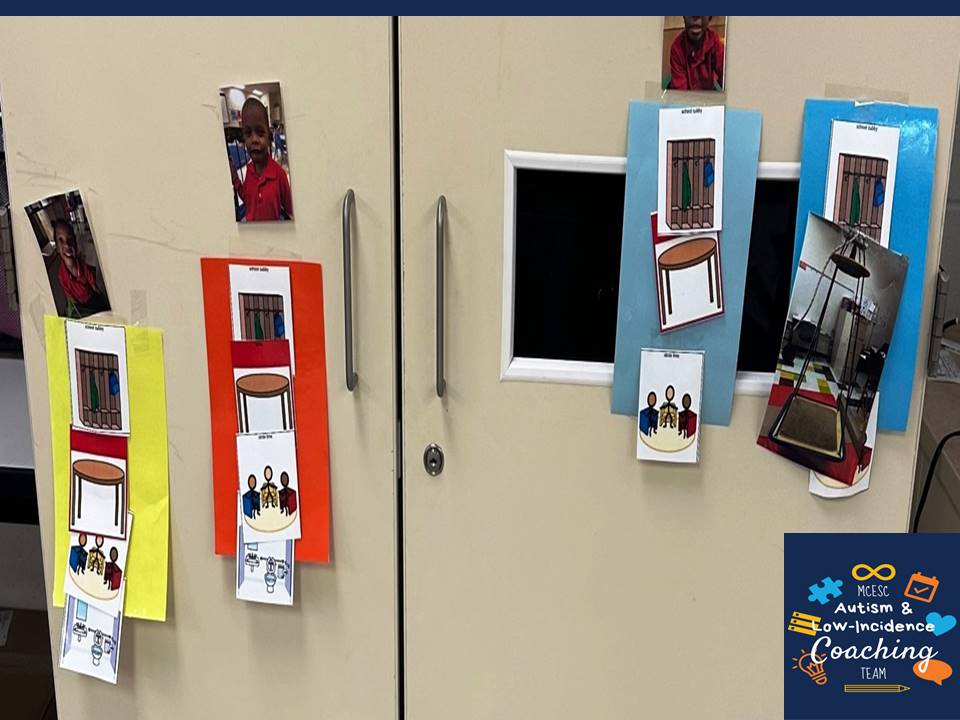
If simply interacting with the schedule isn't enough, we often recommend implementing a location-based schedule where the student matches the card from their schedule to a visual in the corresponding location. 

Rylie Jarrett
Stevenson Elementary, Mad River

Brittany Wendling
Valley Elementary, Beavercreek


For more examples of location-based schedules check out our previous posts.
Concern #3: There is a learning barrier.
If you have worked to teach the purpose of the schedule and the student still doesn't seem interested, there could be a learning barrier. For some students, the popular picture icons may not meet their individual needs. Some may need actual photographs, others may need the pictures blown up or may need to use objects. 
Makayla Barber
Mad River Preschool, Mad River

Jamie Minnish
Prass Elementary, Kettering


For students who visual impairments, you may need to use high-contrast icons or incorporate tactile icons with braille. 

Hayward Middle School, Springfield

Carla Bryant
Miamisburg


Concern #4: Lack of Motivation
Incorporate special interests or student choice to get their buy-in and make the schedule more interesting for them. We have even had teams sit down with the student to choose their own icons to create their schedule. 
Jackie Vollmer
Driscoll Elementary, Centerville

Maggie Brackman
Northwood Elementary, Northmont


Concern #5: The student travels to many environments around the school. 
Since a schedule provides security for the student, it is important that the student can access it at all times. Therefore, students who frequently transition outside of their main classroom may benefit from a portable schedule option. 
Jolene Allen
Brantwood Elementary, Mad River

Lindsey Woods
Fairborn Primary, Fairborn

Tim Cundiff
Greenville High School, Greenville

Ashley Watson
Madison Park Elementary, Trotwood

Heather Clark
Saville Elementary, Mad River

Rose Jepson
Northridge Elementary, Northridge

Megan Logano
Clark ESC

Alicia Barnishin
Cookson Elementary, Troy/Miami County ESC


Concern #6: Each student in the classroom has a different schedule
Creating individual schedules for every student in the classroom can make transitions easier because it increases their independence and staff doesn't have to memorize everyone's schedule and provide verbal prompts. This helps when there are multiple grade-levels in one room, if students transition in and out of the classroom for inclusion, or you use centers in the classroom. 
Rhonda Brunk
Trotwood ELC, Trotwood

Lauren Dickey
Indian Riffle Elementary, Kettering

Holly Smith
Nevin Coppock Elementary, Tipp City/Miami County ESC

 
Concern #7: The student has mastered the schedule. 
Even if you feel like the student knows the routine, a visual schedule is a tool that the student can fall back on during times of confusion, anxiety, or when there are changes. Rather than getting rid of this effective support, create an individual schedule that can grow with the student. Fade visual icons and provide schedules that can easily be tucked in a binder or folder.
Nichole Dunn
Miamisburg Middle School, Miamisburg

Vince Lintner
Miamisburg High School, Miamisburg

Cassandra Hebauf
Northmoor Elementary, Northmont

For more ideas on creating schedules for older students check out our previous posts

Written Schedules

Top 3 Tips for Creating Written Schedules for Older Students