Showing posts with label autism. Show all posts

Tuesday, December 24, 2024

Managing Wandering and Eloping for Students with Autism & Low-Incidence Disabilities

Eloping can be a common classroom behavior that causes a great deal of alarm due to safety concerns and how challenging it is to manage. In today's Around Town Round Up we are sharing intervention ideas, safety supports, and resources to help manage wandering and eloping behaviors for students with autism and low-incidence disabilities.

Interventions

As with any interfering behavior, it is important to determine the function so that function-based interventions can be implemented. Use a Functional Behavior Assessment (FBA) or Motivation Assessment Scale (MAS) to determine the specific reason why the student is eloping since it can meet a variety of wants or needs. There are four main functions of behavior: Sensory, Escape, Attention, and Tangible. Additionally, behavior is often used as a way to communicate so Communication can be considered another function of behavior especially when eloping is used to meet a variety of needs. Below we will describe what eloping may look like for each behavior function as well as strategies to try. 

Function: Sensory

Looks Like:
  • Student enjoys running
  • Student is in constant motion
  • Student seeks vestibular input  
Sensory Interventions for Eloping:
  • consult with OT
  • proactively schedule vestibular input (i.e. swinging, delivery job)
  • use alternative seating to provide vestibular input (i.e. Zuma rocker, rocking chair, therapy ball)


Function: Escape

Looks Like:
  • Student runs as soon as work is presented
  • Student runs when the environment is overstimulating
Escape Interventions for Eloping: 
  • incorporate special interests
  • reduce task demands
  • use forced choices
  • develop reinforcement system
  • use visual supports to communicate work expectations (i.e. visual contract, structured work system, To Do list, visual countdown)


Function: Attention

Looks Like
  • Student appears to find enjoyment in being chased
  • Student turns and looks for adults before running
Attention Interventions for Eloping
  • refrain from emotional response
  • do not chase student because this can create a game


Function: Tangible

Looks Like
  • Student runs to another area of the classroom or school to attempt to gain access to a preferred item

Tangible Interventions for Eloping
  • develop reinforcement system to allow student to earn time to run
  • use visual supports or social stories to remind student when they can run (i.e. P.E., outdoor recess)


Function: Communication

Looks Like:   
  • Student runs to communicate a variety of functions

Communication Interventions for Eloping:   
  • consult with SLP
  • provide direct instruction of replacement communication modes
  • provide visual cue and/or AAC to facilitate replacement communication

Thursday, August 1, 2024

On-Demand Training: Pre-Recorded Modules and Facilitated Modules

Our team is excited to provide a new training offering for the 2024-2025 school year! We will be offering pre-recorded modules for self-paced professional development within your district! 

We have two offerings available: 
  • Facilitated Modules: There are 10 different module offerings and each module includes unlimited access for one calendar year to a pre-recorded 1-2 hour module with a one-time 30-minute live facilitated Q&A session with members of the MCESC Autism & Low-Incidence Coaching Team following your district’s module viewing.
  • Pre-Recorded Modules: We are also providing the option for districts to purchase 5 of our modules as a completely self-paced offering which includes unlimited access for one calendar year to a pre-recorded 1-2 hour module without the live facilitated Q&A session. 
These are a great option for new hires, paraprofessionals, or district professional development days!


See the images below for more information and/or click to download the flyers. 


FAQs:
  • How long do we have access to the modules?
    • From the time of purchase, you have access for a full calendar year. For example, if you purchase a module in November 2024 you will continue to have access through November 2025. 
  • How long are the modules?
    • Each module is between 1-2 hours in length with the exception of Comprehensive Literacy Instruction for Students with Complex needs which is a 5-part series. 
  • How do we access the modules?
    • We are excited to be partnering with Teacher Campus which is an online professional development platform. Each staff member that is registered will have their own log-in in order to self-pace their learning.
  • How many staff members can watch the module?
    • There is no limit to the number of staff members that can access the modules. Also, additional staff members can be added to the roster at any time throughout the year-long access timeframe by contacting Mary Fryman at mary.fryman@mcesc.org. In the case of a facilitated module, if additional staff members are added after the scheduled facilitated discussion, then they will 
  • Are CEUs available?
    • YES! This is a popular request and we are thrilled to announce that through our partnership with Teacher Campus each participant will receive a certificate upon completion of their module. In the case of a facilitated module, attendees for the live Q&A session will receive an additional certificate for the 30-minute session. These certificates are for general CEUs and are not discipline-specific. 
  • Can we use a module during a staff-wide in-service day?
    • Absolutely! If you want staff to access the module individually for self-paced instruction, you will follow the standard procedures for registering each participant. Or a single staff member can register for the module and then play it to a group of participants. However, if playing the module for a group, you will not have automatic access to individual CEU certificates for each staff member, therefore your district is responsible for providing these. Additionally, if you decide to play the module for a group, ACT would love a total headcount of participants so that we know how many people our training impacts each year! This is appreciated but not required. 
  • What is the process for purchasing a module?
    • Please contact Mary Fryman at mary.fryman@mcesc.org for a Training Request Form. Once you submit the form, our team will work with you for invoicing, completing your registrant roster, and scheduling the facilitated discussion (when applicable). 

Tuesday, November 28, 2023

What should I expect during the first ACT visit?

If you have never worked with the MCESC Autism & Low-Incidence Coaching Team before, you may not know what to expect when you hear our team is coming to support you. Keep reading to learn more about what to expect!


Our secretary, Mary Fryman, will coordinate the first visit. Then, a coach on our team will come out to begin the coaching process. Coaches are selected based on the needs identified by the school team in the referral paperwork. 
  • Intervention Specialists Allison Officer and Jackie Vollmer specialize in classroom referrals, academic differentiation, and instructional supports. 

Allison Officer

Jackie Vollmer

  • Speech and Language Pathologist Carol Dittoe specializes in functional communication, augmentative and alternative communication (AAC), and social skills. 

Carol Dittoe


  • Occupational Therapist Lynn DeMange specializes in sensory processing, self-management, and regulation supports. 

Lynn DeMange


All of our coaches are Certified Autism Specialists and specialize in behavior interventions.


The role of our coaches is to:
  • offer encouragement and support
  • research and model evidence-based strategies
  • collaborate and brainstorm new interventions to trial with your team
  • analyze behavior and data
  • provide individualized resources, tools, or assessments
  • help your team prioritize interventions
Our role is not to:
  • evaluate or judge your team
  • provide direct service to students
  • consult without input or collaboration with your team
  • make recommendations regarding student placement/LRE or hiring of additional staff


Each visit consists of an observation and a meeting. 

Observation
Observations are typically in-person and last for about 1 hour. 

During the observation, we will try to be discreet to minimize distracting students. During the observation, we want to see as close to a typical day as possible. It is important for us to see existing supports and routines, student behaviors, and anything that may assist us in knowing where our support is needed. 

We tend not to have a lot of discussion with staff during this time because we want to minimize distractions, be respectful of not talking about students in front of them, and want to see an authentic snapshot of the day. 

At times, we may interact with students or even try a couple interventions "in the moment". This helps us get a better idea of what may or may not work which informs our future recommendations. Plus we all worked in classrooms prior to coaching so we love the opportunity to be hands-on with students again! During this time, we encourage classroom staff to observe us. We won't always be there to intervene with students so when we are modeling it can be important for classroom staff to take note of how we work with the student so that they can intervene in the same way in the future. 


Meeting
Following our observation, we will meet with the team. This meeting may be immediately following the observation, later in the day, or on a different day depending on your team's availability. The meeting can be virtual or in-person.

We like to have as many team members as possible attend the meeting since we know that collaboration is essential to success! If it is an individual student referral, we let the school team decide if they would like to invite parents to be in attendance. 


Typically, the meeting will follow the sequence outlined below:

1. Introductions and gathering of contact information
  • The ACT coach will send an email with a detailed summary to all members of the team including those who may not have been able to make it to the meeting. 

2. Explanation of the ACT process
  • The role of the ACT team is to provide job-embedded professional development specifically tailored to the needs of the referral classroom or student to build the educational team’s capacity in meeting the identified needs. With a classroom referral, we provide global classroom supports that could benefit all or a group of students. We do not give individual student recommendations because we do not have parent permission. With an individual student referral, we are able to give student-specific recommendations. Our referral is good for a calendar year and as we provide suggestions we will check in periodically to see how they are going and see if we need to meet and/or observe again to tweak interventions or brainstorm new ideas.

3. Review what is going well and strengths, interests and reinforcement
  • We like to build on strengths, help your team identify some positives in a typically stressful period in the classroom, and learn more about what students (or classroom staff) find motivating. 

4. Review what is not going well/challenges
  • When an ACT referral is initiated, it is typically because your team needs some support. Although some venting can occur, we try to keep this time goal-driven and solution-focused. It will help us in determining the desired outcomes of our coaching. 

5. Discuss desired outcomes of the coaching process
  • These goals are informal but will guide the coaching process throughout the year-long referral. Consider what staff wants to learn more about and outcomes you want for the student(s) to help everyone be more successful. 

6. Determine initial action steps and provide any recommended tools:
  • We try to keep the meeting focused so that we can get to the good stuff... which is what to do next! We will work with your team to brainstorm interventions. We sometimes provide tools or additional resources for you to trial. 

7. Schedule times for future observations and/or follow-up meeting:
  • Once we provide the recommendations, we want to come back and see them in action! This allows us to model or tweak things as needed and determine the next steps. Typically, we schedule this follow-up visit 4-6 weeks after our initial meeting because research shows this is how long it takes to determine intervention effectiveness. If you trial the intervention and things get worse, PLEASE contact your ACT coach! We don't want you to abandon interventions or struggle between visits. We can provide some triage coaching which keeps the coaching momentum moving forward. 

If you want to prepare ahead of time, gathering some of the following information to share at the meeting can be helpful:
  • Copy of classroom schedule.
  • Examples of classroom strengths, interests, and concerns.
  • List of strategies that have already been tried, successfully or unsuccessfully.
  • Data illustrating behavioral concerns or the impact of trialed intervention
  • Ideas about specific needs/desires for outcomes of the coaching process.
  • Contact information and schedules for all educational team members.
  • Calendar/Planner for scheduling follow-up meetings.

Hang in there! Help is on the way! We will see you soon. 


Wednesday, January 19, 2022

Super Star Schedules: Even More Individual Schedules

We have featured individual schedules before, however there is never a shortage of creative ideas in the classrooms we coach when it comes to creating these schedules from increasing portability and interaction to including special interests. Today we will feature some more of our favorites we have seen recently around the Miami Valley. 


Interactive Schedules
Our first set of examples are some traditional interactive visual schedules with moveable icons that students can remove as each activity is completed. 

Interactive Schedule with extra pieces
Emily Beck
Bradford Elementary, Bradford

Interactive Schedule with finished pocket
Rachel Engle
Horace Mann Elementary, Springfield

Interctive Symbolstix Schedule
Allie Clements
Schnell Elementary, West Carrollton

Interactive Schedule Strip with extra pieces
Dustin Krouse
Horace Mann Elementary, Springfield


Interactive Variations
These examples include some variations to make them more interactive including checking off a written schedule or using check mark manipulatives to mark finished activities. 
Interactive Dry Erase Schedule
Peggy Ristau
Brookville Intermediate, Brookville

Interactive Checks Schedule
Jessie Henry
Tri-Village Elementary, Tri-Village

Portability
In addition to being interactive so students connect to the schedule, for students who travel throughout the school building portability is also key. Taking the schedule from location to location allows this tool to be easily accessible and can ease anxiety while also aiding in smoother transitions. 
Binder Interactive Schedule
Erika Lauterbach
Dixie Elementary, New Lebanon

Clipboard Interactive Schedule
Jessie Henry
Tri-Village Elementary, Tri-Village

Lanyard Schedule
Emily Beck
Bradford Elementary, Bradford

Incorporating Interests
It can be challenging to get student buy-in at times when introducing a visual schedule, therefore incorporating their special interests and favorite characters can be helpful. We love these creative examples!
Interactive Schedule with Dinosaur and Zombie icons
Mandy Schetter
Northmoor Elementary, Northmont

Blue's Clues Handy Dandy Notebook Schedule
MCESC ACT Team

Reinforcement System Schedules
To get further buy-in for some students, tying their schedule into the class-wide reinforcement system can be a great way to make sure they are continually referencing their schedule throughout the day. It helps increase staff accountability as well!
Visual Schedule with Zones and Reinforcement
Mary Jane Donovan
Learning Center-West, MCESC

Print Schedule with Reinforcement Highlighting
Julia Spencer
Learning Center-West, MCESC


For more examples of schedule-based reinforcement systems don't miss the post below:


Also we have additional examples of individual schedules which can be found in the posts below:


Monday, December 20, 2021

Sensational Social Skills: Teaching Voice Volume

Voice regulation can be challenging for many of our students. A volume that does not match the social situation and expectation can impact the way others think about that student and can interfere with communication or learning. Simply telling a student to use a quiet voice may not be enough. Today's Sensational Social Skills post will provide 5 steps to help your student regulate volume. 

1.   Build Awareness

First, engage the student in activities that build awareness of different voice volumes. Model different volumes and talk about situations when certain voice volumes should be used. Introduce a visual voice volume tool to provide a visual representation of different voice volumes. At this step, you are teaching the student how different levels on the voice volume tool look, sound, and feel.

Jackie Vollmer
Driscoll Elementary, Centerville

It helps to have an interactive scale that shows the changes by moving a marker. This voice meter uses a moveable star to illustrate the changes in volume.

Marissa Steinhelfer
Harry Russell Elementary, West Carrollton

Consider incorporating a special interest theme to increase the student's interest in the voice meter. In this interactive cat voice meter, the ball of yarn is moved up and down to show the voice volume.

Sarah Vikan
Harry Russell Elementary, West Carrollton


This video shows you how to make a voice volume wheel: 


Your student may benefit from a social story or narrative to help them understand why it is important to use a volume that is just right for the situation. Teachers Pay Teachers has a variety of pre-made Voice Volume Social Stories available.

Decibella is a great book to teach your younger students about voice volume: 


2. Practice Control

Next, provide opportunities for the student to practice controlling their volume during structured activities. This video from How to ABA illustrates how you might practice volume control during structured activities:


In addition to an interactive voice volume tool, consider the use of an app that provides instant feedback to let the student pair what they hear with what they see. Check out this app: 

Dragon Fly Apps: Voice Meter Pro


3. Prime Volume Expectation

Once the student has demonstrated the ability to control the volume of their voice during structured practice activities, you can begin to help them apply this skill in situations across the day. Prime the use of a target volume prior to the situation. The visual used to prime the expected volume should be similar to the visual used during structured practice. The student needs to know what the target volume sounds like, looks like (on the visual), and how it feels.


The student can be presented with an individual priming tool or you can prime the whole class. Here are examples of a whole class tool to prime for the expected voice volume.

Mary Schuler
Fairborn Intermediate, Fairborn

Kelsey Keen
Tri-Village Elementary, Tri-Village


4. Prompt Volume Expectation

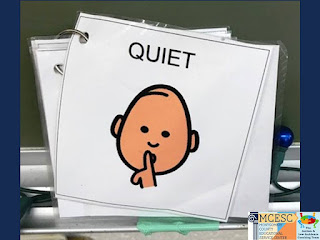
After the student has been primed to use the target voice volume and they enter the situation, use a nonverbal prompt if the student starts to move away from the target volume. This can be a reference to the voice volume tool, a “quiet voice” image, or a hand gesture to show the expected voice level.

Jamie Minnish
Prass Elementary, Kettering

These voice volume scales pair numbers and hand signals with voice levels to provide an easy way to prompt the student to find the right volume in the moment.


Taylor Ruef
Stevenson Elementary, Mad River


5. Reinforce Target Volume

It will be important to give the student feedback to let them know when they are on target. Consider a nonverbal reinforcement such as referring to the visual tool, giving a thumbs up, or providing a written note. If your student needs more tangible reinforcement, a sticker or edible can be provided when the student stays in the target range for a predetermined time frame. One team considered adding a picture of a special interest item (Sally from the Nightmare Before Christmas) to the interactive voice meter to indicate when the student’s voice was in the expected voice range she could have Sally.

Sarah Vikan
Harry Russell Elementary, West Carrollton


Keep in mind that if a student is dysregulated, the student may not be able to control their volume. In this case, the best priming, prompting and reinforcement may not help. Determine if the student needs a calming break or if there is an issue that needs to be addressed to help the student feel more regulated and in control.

Tuesday, December 14, 2021

A-LIST Spotlight: Rylie Jarrett, Intervention Specialist at Stevenson Elementary in Mad River Local Schools

Get ready because today's A-LIST Spotlight is overflowing with fabulous ideas from Intervention Specialist Rylie Jarrett from Stevenson Elementary in Mad River Local Schools!


We can't wait to share everything from Rylie's class. She is a fantastic teacher, visual support expert, and great partner to our coaching team. In fact, Rylie graciously welcomed us into her classroom this year to allow a live stream for 13 educators across 6 regional districts so that they could see best practices in action followed by a live Q&A session so Rylie could share additional resources and answer questions. It was an awesome opportunity and attendees are still raving about it!


Transition Supports
The first set of supports we want to share from Rylie's classroom are her transition supports. She does an excellent job priming students for transitions using the visual countdown, using a location-based schedule to help them transition to the correct location, using visual supports to assist with lining up when needed, and providing anchor activities when there is downtime between transitions. 


Additionally, positional cues help students know exactly where to go during carpet times or lining up which makes transitions smooth. 


Structured Work Systems
Once students transition to their designated location within the classroom, Rylie uses structured work systems to present work in a predictable way. This helps to communicate clear expectations and reduce escape behaviors. 


Academic Supports
Another way Rylie reduces escape behaviors is through making learning engaging and accessible for her young learners. She uses a variety of hands-on tasks and visuals to scaffold learning.


Communication Supports
To further support her students' learning and functional skills, Rylie uses a variety of low-tech and high-tech AAC to help her students communicate. 


Organization
Being this good requires staying organized! Rylie has a variety of organizational supports to keep learning materials readily accessible and to clearly communicate with her paraprofessionals. 


Sensory
One area Rylie excels at is meeting her students' sensory needs. It is evident Rylie believes that in order to educate you first must regulate! She provides students with boundaries, adaptive seating supports, sensory breaks, and heavy work to meet their various needs. 


Behavior Supports
In addition to meeting her students' academic, communication, and sensory needs, Rylie helps them learn essential behavior regulation skills. She knows behavior stems from underlying skill deficits and works hard to proactively prime students and provide visuals to help them in the moment. 


Rylie's students are so lucky to have her and so are we! We love working with Rylie and look forward to seeing more of her awesome supports in action in the future!